Worked example
The worked example is the fictional thesis after all six exercises. It lives on GitHub, not on this site, because a plan is useful only where the work happens. Open it next to your own repository when you are unsure about a step. The Solutions page lists what to compare for each exercise.
The thesis, the people, and the dates are fictional. The data are synthetic.
| Part | Where | What it holds |
|---|---|---|
| The plan | Showcase Project | Eight epics (E01–E08), 34 sub-issues, three milestones, the “blocked by” dependencies, and the fields Status, Priority, Start date, Target date, and Basis |
| The work | Example repository | The Issues, the milestones with their justifications, the pull requests of X4 and X5, the release v0.1.0-demo, the data dictionary, and the decision record |
| The rules | Requirements register | Which rules apply, where they come from, and which Issue covers them |
| The publication | Publication note | What can be published, where, and what GitHub cannot guarantee |
Three views of one plan
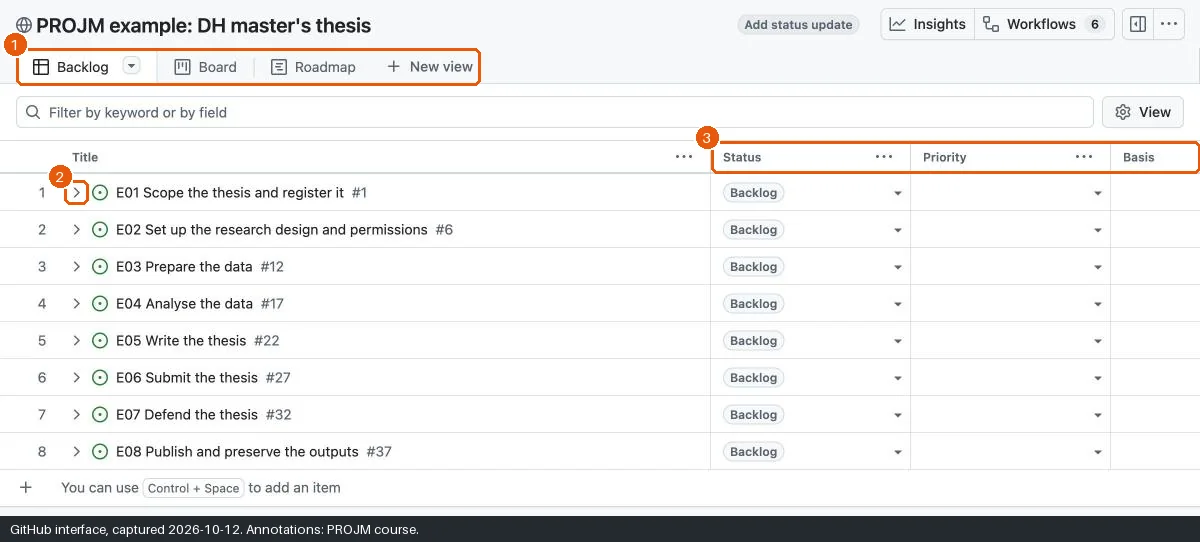
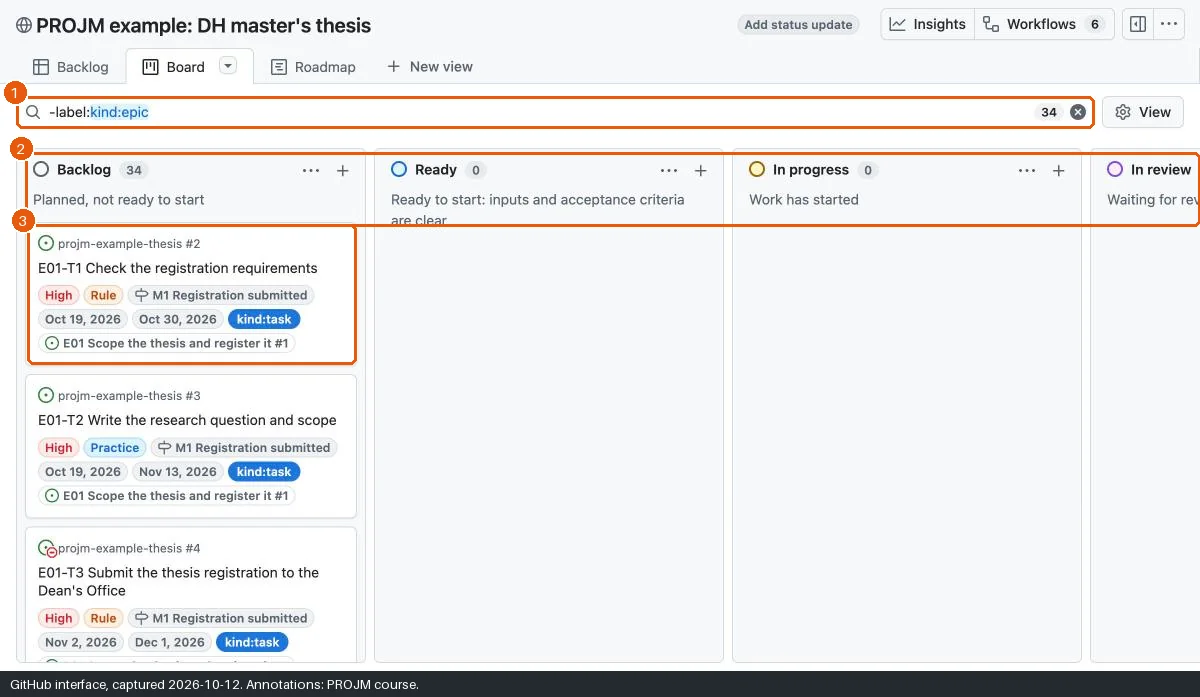
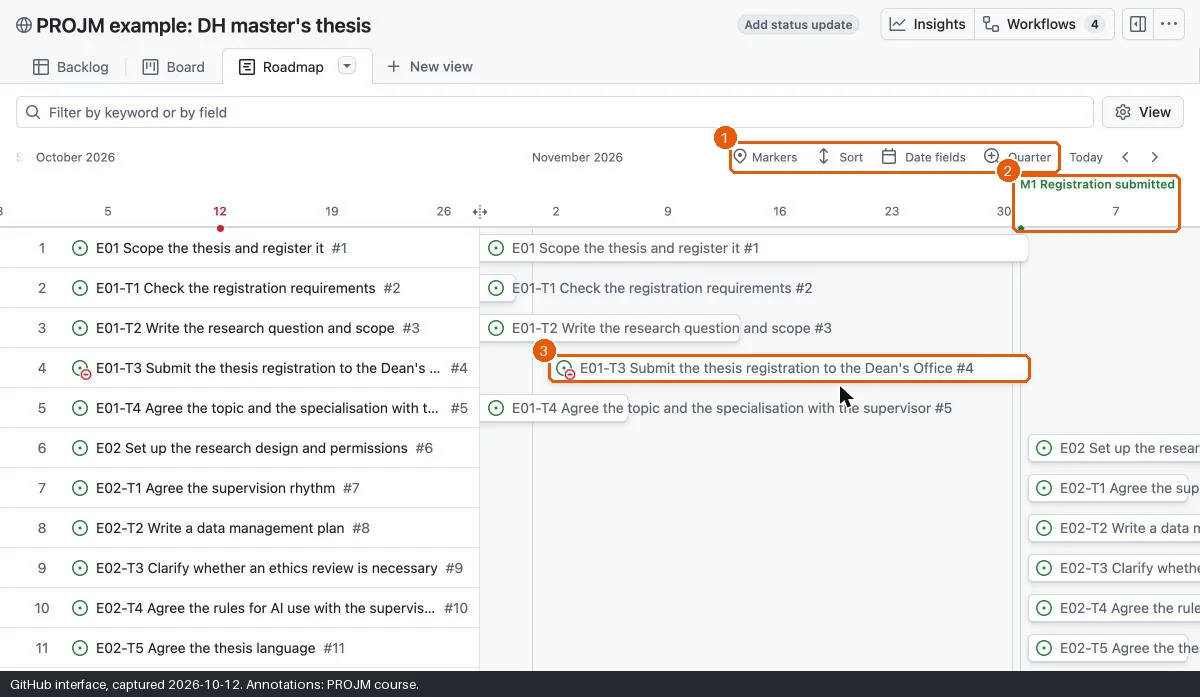
The Project shows the same Issues in three views. Each view answers a different question, so you switch views instead of keeping three lists. The screenshots show the Project on 12 October 2026. The live Project can differ.
| View | Question |
|---|---|
| Backlog | What is there to do, and how important is it? |
| Board | What is the state of each task now? |
| Roadmap | When does each task happen, and what does it wait for? |
The source of the plan
The plan exists once as versioned text: project-management/backlog.yml in the course repository. A maintainer script creates the Issues, the milestones, and the Project from this file. Learners do not need the file.
Maintenance rule
Update the documentation in the same pull request as the data or the plan that it describes.